Brock Beauchamp
-
Posts
1,070 -
Joined
-
Last visited
-
Days Won
11
Content Type
Profiles
Boston Red Sox Videos
2026 Boston Red Sox Top Prospects Ranking
Boston Red Sox Free Agent & Trade Rumors, Notes, & Tidbits
Guides & Resources
2025 Boston Red Sox Draft Pick Tracker
News
2026 Boston Red Sox Draft Tracker: Picks & Bonuses
Forums
Blogs
Events
Store
Downloads
Gallery
Everything posted by Brock Beauchamp
-

Red Sox 2025 Season Review/Offseason Preview Thread
Brock Beauchamp replied to Brandon Glick's topic in Boston Red Sox Talk
Welcome to Talk Sox! -
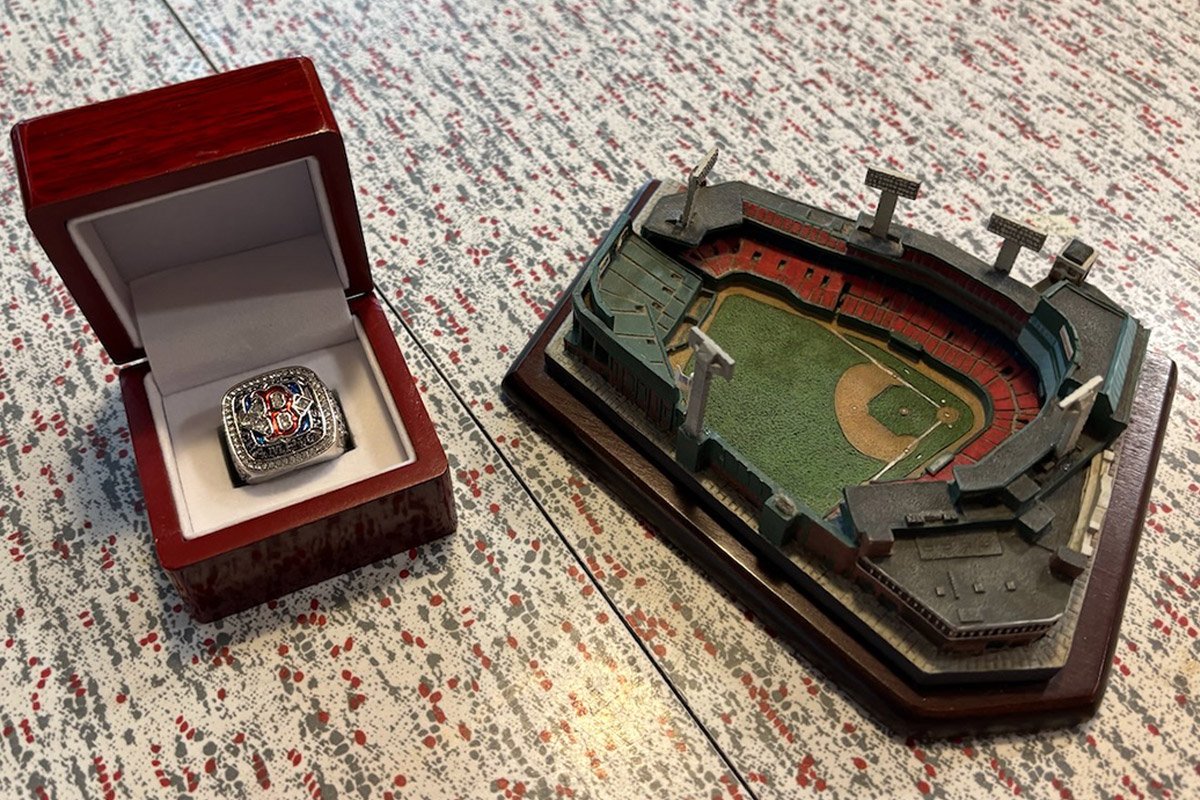 Hello again, Sox fans! Twice a year, I sit down and find the most popular posts and blogs on Talk Sox, and their creators receive prizes for their contributions to the sprawling behemoth that is this site. While the 2025 Red Sox season ended in disappointment, there were many great times to be had at Fenway in 2025. We look at the most popular posts and blogs created by our users. Let's dive into the most popular content of the 2025 MLB season. Most Popular Post In the most popular post of the 2025 season, @JerryL1042 pointed out that instead of trading Jarren Duran, perhaps the coaching staff should better address his weaknesses. Trading Duran is always a popular and controversial topic in New England sports. For this well-liked post, you win this replica 2004 World Series champions ring. Please private message @Brock Beauchamp with your address so I can ship this fun prize to you! Most Popular Post Runner-Up Rob Refsnyder is one of those players who is easily overlooked. He plays the short side of a platoon. He's not spectacular in any single skill. But on a postseason-bound team, guys like him are needed. In this celebratory Refsnyder thread, long-time user @moonslav59 had the second most popular post of the 2025 season! Most Popular Game Thread I like to point out which game thread drew the most fans over a long 162-game season, and this year it was a mid-August showdown against the Orioles that drew 497 replies. The Red Sox spent the stretch jockeying for position, and game thread posters showed up for it. To show how much Talk Sox has grown in the past year, the high water mark in game threads last season was 264 replies, just over half the number of this season. Most Popular Blog Post To the surprise of absolutely no one, a blog entry about the call-up of super-prospect Roman Anthony was the most popular entry of the season. Thank you to @Charlie Hoke for being one of our most regular bloggers, and writing this very popular entry in mid-season! For this well-liked post, you win this miniature replica of Fenway Park! Please private message @Brock Beauchamp with your address so I can ship this fun prize to you! Most Popular Blog Post Runner-Up Was it really this season when Rafael Devers was traded? Seems like an eternity ago. Mid-season, Charlie Hoke looked at Devers's reluctance to move to first base in our second-most popular blog entry of the season. Most Prolific Poster We always like to hat-tip the poster who earned the most reputation points, which are given based on the number of posts, how many users liked that content, and other metrics. In the 2025 season, it was @mvp 78! Thanks for being such a great contributor to Talk Sox! That's all for this season, folks. Give a round of applause to all of those mentioned in this piece, and here's to a successful offseason for the Red Sox!
 -
Hello again, Sox fans! Twice a year, I sit down and find the most popular posts and blogs on Talk Sox, and their creators receive prizes for their contributions to the sprawling behemoth that is this site. While the 2025 Red Sox season ended in disappointment, there were many great times to be had at Fenway in 2025. We look at the most popular posts and blogs created by our users. Let's dive into the most popular content of the 2025 MLB season. Most Popular Post In the most popular post of the 2025 season, @JerryL1042 pointed out that instead of trading Jarren Duran, perhaps the coaching staff should better address his weaknesses. Trading Duran is always a popular and controversial topic in New England sports. For this well-liked post, you win this replica 2004 World Series champions ring. Please private message @Brock Beauchamp with your address so I can ship this fun prize to you! Most Popular Post Runner-Up Rob Refsnyder is one of those players who is easily overlooked. He plays the short side of a platoon. He's not spectacular in any single skill. But on a postseason-bound team, guys like him are needed. In this celebratory Refsnyder thread, long-time user @moonslav59 had the second most popular post of the 2025 season! Most Popular Game Thread I like to point out which game thread drew the most fans over a long 162-game season, and this year it was a mid-August showdown against the Orioles that drew 497 replies. The Red Sox spent the stretch jockeying for position, and game thread posters showed up for it. To show how much Talk Sox has grown in the past year, the high water mark in game threads last season was 264 replies, just over half the number of this season. Most Popular Blog Post To the surprise of absolutely no one, a blog entry about the call-up of super-prospect Roman Anthony was the most popular entry of the season. Thank you to @Charlie Hoke for being one of our most regular bloggers, and writing this very popular entry in mid-season! For this well-liked post, you win this miniature replica of Fenway Park! Please private message @Brock Beauchamp with your address so I can ship this fun prize to you! Most Popular Blog Post Runner-Up Was it really this season when Rafael Devers was traded? Seems like an eternity ago. Mid-season, Charlie Hoke looked at Devers's reluctance to move to first base in our second-most popular blog entry of the season. Most Prolific Poster We always like to hat-tip the poster who earned the most reputation points, which are given based on the number of posts, how many users liked that content, and other metrics. In the 2025 season, it was @mvp 78! Thanks for being such a great contributor to Talk Sox! That's all for this season, folks. Give a round of applause to all of those mentioned in this piece, and here's to a successful offseason for the Red Sox! View full article
-
It's in the menu at the top of the page.
-
It's hard to predict how this offseason will unfold, as there is an increasing chance of (yet another) MLB lockout following the 2026 season. Will teams spend big this offseason, hoping to create surety in the face of an unknown collective bargaining agreement? Or will they be hesitant in hopes of a favorable outcome for ownership groups? No matter how it shakes out, teams will need to compete in the 2026 season, and they'll need to sign free agents this winter. DiamondCentric has compiled a complete list of free agents, sortable and searchable by pretty much any metric you need. Looking for a first baseman? A catcher? We have you covered. We offer two pages for your reference: one for position players, the other for pitchers. Free Agent Hitters In the 2025-2026 MLB Offseason Complete List Of 2025-2026 MLB Free Agent Hitters DiamondCentric.net Here is a complete list of free agent hitters in the 2025-2026 MLB offseason. Free Agent Pitchers In the 2025-2026 MLB Offseason Complete List Of 2025-2026 MLB Free Agent Pitchers DiamondCentric.net Here is a complete list of free agent pitchers in the 2025-2026 MLB offseason. View full rumor
-
New this year, we're offering a searchable, sortable list of all free agents in the 2025-2026 MLB offseason. Take a look and let us know what you think! https://diamondcentric.net/complete-list-2026-mlb-free-agent-hitters/ https://diamondcentric.net/complete-list-2026-mlb-free-agent-pitchers/
-
 This guide provides a comprehensive overview of the Boston Red Sox's 2025–2026 offseason, highlighting key dates and events across Major League Baseball’s winter calendar. It includes details on the Winter Meetings, MLB Draft Lottery, and the important deadlines when the Red Sox must decide on arbitration-eligible players and those with team or mutual contract options. In the sections that follow, you’ll find a list of pending free agents, players with contract options, and a detailed timeline of the offseason ahead. To view the current Red Sox 40-man roster, view our roster page, updated nightly. The Boston Red Sox entered the season with a clear goal in mind: return to the postseason for the first time since 2021. Armed with high expectations and fueled by an aggressive offseason, Boston made waves by signing star infielder Alex Bregman and trading for dynamic left-hander Garrett Crochet. The bold approach paid dividends, as the Red Sox delivered a strong regular season performance that earned them the second Wild Card spot and a long-awaited return to October baseball. The year wasn’t without drama, however. In June, Boston shocked the baseball world by trading away franchise cornerstone Rafael Devers, signaling a new era for the club. Yet even amid the upheaval, the Red Sox found new heroes. Garrett Crochet blossomed into a Cy Young-caliber ace, anchoring the rotation with dominant stuff, while rookie sensation Roman Anthony burst onto the scene with a breakout campaign that injected excitement and energy into Fenway Park. Ultimately, the Red Sox’s run came to an end in heartbreaking fashion — a decisive Game 3 loss at Yankee Stadium to their fiercest rivals. Still, after years of frustration, Boston’s return to contention marked a significant step forward. With a young core emerging and key pieces in place, the Red Sox will look to build on this season’s momentum as they prepare for an even bigger push in 2026. Click any link below to jump to an explanation of that event/date. 2026 Offseason Dates & Calendar Oct 24 - Nov 1: World Series Immediately After The World Series: Players Become Free Agents, Trade Market Opens 5 Days After Conclusion Of World Series: Contractual Options Due, Qualifying Offers Due, League-Wide Free Agency Opens Early November: General Manager Meetings Nov 13: The MLB Awards Nov TBA: Rule 5 Protection Deadline, Qualifying Offer Decisions due Nov TBA: Tender Deadline Dec TBA: Announcement of Competitive Balance Picks Dec 7-10: Winter Meetings (Orlando, FL) Dec 10: MLB Draft Lottery Dec 10: Rule 5 Draft January 2026: BBWAA HOF announcement Mid-January: Arbitration agreement deadline Jan 15: International Signing Period Opens January 10: Fenway Fest Late January-Early February: Arbitration Hearings Mid-February: Report to Spring Training February TBA: First Spring Training Game March TBA: MLB Spring Breakout March 25: MLB Opening Night (Yankees @ Giants) March 26: Opening Day (Red Sox @ Reds) World Series Game 1 of the 2025 MLB World Series is set for Friday, October 24, with a potential Game 7 scheduled for Saturday, November 1. The offseason officially begins the moment the final out of the World Series is recorded. Players on expiring contracts immediately become free agents, though certain restrictions apply in the first few days that will be detailed later. The day after the World Series ends, teams can resume making trades for the first time since the midseason deadline — marking the official start of the MLB offseason. 5 Days After The Conclusion Of World Series As the offseason begins, free agents are permitted to negotiate exclusively with their most recent team for a five-day period. After that window closes, they are free to engage with all 30 MLB clubs. For the Boston Red Sox, several players are set to reach free agency following the 2025 season, including Dustin May, Rob Refsnyder, Justin Wilson, and Steven Matz. Refsnyder made a solid impact in the lineup, while Wilson and Matz provided steady, positive contributions out of the bullpen. May, meanwhile, struggled to find consistency in limited action. It remains to be seen which of these players the Red Sox will have interest in bringing back as they shape the roster for 2026. Player/Team/Mutual Options During the initial offseason period, teams and players must decide whether to exercise or decline any contractual options for the upcoming year. For the Boston Red Sox, several key players hold options that will require attention in the coming weeks. Trevor Story has a player opt-out available after the 2025 season, with three years and $55 million remaining on his contract. Should Story choose to opt out, the Red Sox retain the ability to opt back in, which would add a seventh year (2028) to the deal. His decision will be an important storyline for Boston’s offseason, as it could shape the club’s long-term infield plans. Alex Bregman also holds an opt-out clause following the 2025 season. Given his strong performance and market value, Bregman is widely expected to opt out and test free agency in search of a longer-term contract. Meanwhile, Liam Hendriks has a mutual option for $12 million with a $2 million buyout if the Red Sox decline. Mutual options are relatively rare in Major League Baseball because they require both the team and the player to agree to extend the contract for another season. More often than not, one side declines. In Hendriks’ case, it’s likely the Red Sox will choose that route. Qualifying Offers Like contract options, Qualifying Offers must be issued within five days of the World Series’ conclusion. The value of the Qualifying Offer changes annually, as it’s based on the average salary of MLB’s 125 highest-paid players from the previous season. For the upcoming offseason, that figure is projected to be $22 million. To be eligible, a player must have spent the entire previous season with one team and must never have previously received a Qualifying Offer. Teams have until five days after the World Series ends to extend the offer, and players then have until mid-November to decide whether to accept or decline. If a player rejects the offer and signs elsewhere, their former team receives draft-pick compensation, with the specifics depending on the club’s market size, revenue-sharing status, and the value of the player’s new deal. For the Boston Red Sox, there are no qualifying offer candidates among their impending free agents. None of Dustin May, Rob Refsnyder, Justin Wilson, or Steven Matz are expected to command contracts near the $22 million threshold, making it unlikely that extending a Qualifying Offer to any of them would be beneficial for the club. Free Agency Free agency officially begins the day after the World Series concludes. However, during the initial five-day period, players are only permitted to negotiate with their previous club. Once that window closes, full free agency opens, allowing all 30 teams to contact and negotiate with any available player. Depending on the length of the World Series, league-wide free agency is expected to begin between November 2 and November 6. As previously noted, the Boston Red Sox have several players set to reach the open market: Dustin May, Rob Refsnyder, Justin Wilson, and Steven Matz. Each offers a different skill set — from Refsnyder’s steady presence in the lineup to Wilson and Matz’s reliable bullpen work, while May looks to rebound after a limited and inconsistent season. The Red Sox front office will evaluate whether to pursue potential reunions or allow these players to move on as they continue shaping the roster for 2026. Free agency will remain active throughout the offseason and into spring training. General Manager Meetings Roughly a week after the World Series concludes, all 30 general managers gather for meetings to discuss league business and key offseason matters. While these sessions don’t typically draw much attention from fans, they often help establish the groundwork for trades and other transactions that take place later in the winter. Rule 5 Protection/Draft The Rule 5 Draft takes place each winter (with the exception of 2020) and offers every organization a chance to uncover unprotected talent from other clubs. Under Rule 5 regulations, players who signed at age 18 or younger must be protected within five seasons, while those who signed at 19 or older must be protected within four. Teams safeguard eligible prospects by adding them to the 40-man roster — a process that can prove challenging when roster space is limited. For the Boston Red Sox, several prospects will need to be evaluated for protection ahead of the mid-November deadline to avoid exposure in this year’s Rule 5 Draft, scheduled for December 10. Among the players expected to draw consideration for addition to the 40-man roster are David Sandlin and Hayden Mullins. Both have shown enough promise in the minor leagues to merit serious discussion as the organization weighs who to shield from potential selection. Players who are not added to the 40-man roster by the deadline can be selected by another team for a $100,000 fee. Any player drafted must remain on the selecting club’s active Major League roster (or MLB injured list) for the entire season. If that player is later designated for assignment and clears waivers, he must be offered back to his original team for $50,000. While most Rule 5 selections don’t blossom into stars, the process has historically produced its share of hidden gems and late bloomers. For the Red Sox, the draft represents both a risk of losing unprotected talent and an opportunity to find an under-the-radar contributor from another organization. The MLB Awards The MLB Awards return to Las Vegas on November 13, taking place at The Chelsea at The Cosmopolitan of Las Vegas. Among the honors announced will be the Hank Aaron Awards, Comeback Players of the Year, Mariano Rivera and Trevor Hoffman Relievers of the Year, the Edgar Martínez Outstanding Designated Hitter of the Year, and the All-MLB First and Second Team selections. Around the same time, the BBWAA Awards, including Rookie of the Year, Manager of the Year, Cy Young, and Most Valuable Player, will also be revealed. Non-Tender Deadline & Arbitration Players with between three and six years of MLB service time automatically qualify for salary arbitration. There’s also the Super Two designation, which allows a select group of players with just under three years of service to become eligible as well. Arbitration gives players still under team control a chance to argue for compensation they feel reflects their on-field performance. If a team believes a player’s projected arbitration salary exceeds their value, they can non-tender the player instead of offering a contract. Although arbitration eligibility depends on service time, any player with fewer than six years in the majors can technically be non-tendered. Doing so immediately makes them a free agent, while also freeing up a spot on the 40-man roster. Teams have until the non-tender deadline (typically in late November) to decide whether to offer contracts to arbitration-eligible players. Once tendered, the two sides can continue negotiating a salary until mid-January. If no agreement is reached, the case proceeds to an arbitration hearing, where both sides submit salary figures, and a neutral arbitrator selects one. Hearings usually take place between late January and mid-February, with pitchers often going first due to their earlier Spring Training report dates. The arbitrator’s ruling is final, and the player is paid that amount for the upcoming season. While the process ensures fairness, it can sometimes strain relationships between players and teams Arbitration Eligible Red Sox (Expected $ in parenthesis) Nathaniel Lowe: $13.5 Million Tanner Houck: $3.95 Million Jarren Duran: $8.4 Million (Red Sox hold an $8 Million club option with a $100K buyout) Kutter Crawford: $2.75 Million Romy Gonzalez: $1.8 Million Connor Wong: $1.6 Million Triston Casas: $1.7 Million Josh Winckowski: $800K Brennan Bernardino: $1.1 Million Competitive Balance Draft Picks Each offseason, Major League Baseball announces the Competitive Balance Draft picks, designed to help smaller-market and lower-revenue teams maintain parity across the league. These selections, first introduced in 2012, are awarded annually based on a formula that factors in a club’s market size, revenue, and winning percentage. Eligible teams are placed into one of two rounds: Round A, which occurs between the first and second rounds of the MLB Draft, and Round B, which takes place between the second and third rounds. In addition to the extra draft pick, teams that receive a Competitive Balance selection are also granted a larger international signing pool. Unlike standard draft selections, Competitive Balance picks can be traded once, though they cannot be exchanged solely for cash considerations. For the Boston Red Sox, their large market size and high revenue mean they rarely qualify for Competitive Balance selections. In fact, the Red Sox have not received a Competitive Balance pick since 2014. However, the organization does have some recent history with these selections — notably, when they traded pitcher Quinn Priester to the Milwaukee Brewers, part of the return included a Competitive Balance pick that was later used to select Marcus Phillips. Given Boston’s market profile, the club is not expected to receive a Competitive Balance pick for the 2026 MLB Draft, with official announcements for next year’s recipients typically coming in early December. Winter Meetings Each December, high-ranking executives from all 30 organizations, along with agents, players, and media members, gather for the MLB Winter Meetings, a four-day event that serves as the centerpiece of the offseason. This year’s meetings will take place in Orlando, Florida, from December 7 to 10. The Winter Meetings are where the bulk of offseason business takes shape. Trades, free agent signings, and major rumors often dominate the headlines during this stretch. Juan Soto, who was the central story of the 2023 Winter Meetings when he was traded to the Yankees, once again stole the spotlight this year after signing a 15-year, $765 million contract with the New York Mets. He was joined in the headlines by Max Fried, who signed with the New York Yankees, and Garrett Crochet, who was traded to the Boston Red Sox in one of the biggest deals of the week. If there is one point on the calendar when the most MLB transactions are likely to occur, this is it. In addition to roster moves, both the MLB Draft Lottery and the Rule 5 Draft take place during the Winter Meetings, adding even more intrigue to one of baseball’s busiest weeks of the year. MLB Draft Lottery In 2023, Major League Baseball implemented a draft lottery system designed to discourage teams from intentionally losing games to secure higher draft positions. Under this format, all clubs that miss the postseason are assigned odds to land one of the top six selections in the following year’s draft. While teams with the worst regular-season records still have the best chances, the lottery introduces an element of randomness to what was once determined strictly by reverse standings. Because the Boston Red Sox reached the postseason, they are not part of the draft lottery. Instead, their draft position will be determined by the order in which playoff teams are eliminated, as well as by factors such as revenue-sharing status and regular-season winning percentage. The 12 postseason clubs select in the following order: Wild Card Series losers, Division Series losers, Championship Series losers, World Series runner-up, and finally, the World Series champion. Since Boston was eliminated in the Wild Card round, the Red Sox are projected to hold a mid-to-late first-round selection in the upcoming MLB Draft — a placement that reflects both their return to playoff contention and their competitive regular-season performance. BBWAA HOF Announcement Every January, the Baseball Writers’ Association of America (BBWAA) announces its voting results for the newest class of the Baseball Hall of Fame. Players become eligible five years after retirement and can remain on the ballot for up to ten years, provided they continue to receive at least five percent of the vote each cycle. Earning election requires appearing on 75 percent of submitted ballots. If a player falls below the five-percent threshold, they are removed from future ballots and can only be reconsidered later by one of the Hall’s era-based committees. This year’s ballot lacks top-end HOF candidates but still showcases several notable names, including Cole Hamels and Ryan Braun, who are making their first appearance, and Manny Ramírez, who is entering his final year of eligibility. 2026 International Signing Period Opens The international signing period reopens on January 15, providing MLB organizations with one of the most important opportunities to acquire young talent from around the globe. While the majority of signings come from Latin America, teams also scout and sign players from Asia, Europe, and other regions. During this window, clubs can reach agreements with foreign players who are 16 years or older. Signing bonuses vary widely — for example, some prospects sign for modest sums and blossom into stars, while others command millions but never reach their potential. The international market remains one of baseball’s most unpredictable talent pipelines. Each team operates under a hard spending cap, which varies based on market size and other factors. For 2026, the Boston Red Sox fall into the $5,940,000 bonus pool tier. Bonuses of $10,000 or less do not count against this total. Many agreements are reached informally well before the signing date, as teams invest years in scouting and relationship-building with these young players and their families. While some international signees advance quickly through the minors and reach the major leagues within five or six years, others take longer or never fully develop. The international signing period runs through December 15, after which clubs immediately turn their attention to scouting and preparing for the next class of international talent. Fenway Fest Fenway Fest is returning Saturday, January 10, 2026, at Fenway Park. The annual event gives fans the opportunity to meet their favorite players and coaches, collect autographs, and celebrate the start of a new baseball season. It’s a fun, family-friendly tradition that brings Red Sox fans together for a memorable day of baseball excitement before Spring Training gets underway. Spring Training 2026! Red Sox pitchers and catchers will report to JetBlue Park in Fort Myers, Florida in mid-February, with position players arriving a few days later to begin full-squad workouts. Spring Training games in the Grapefruit League will start shortly thereafter and continue for about a month as the team prepares for the upcoming regular season. Dates for Boston’s first Grapefruit League game and MLB’s Spring Breakout have not yet been announced, but both are expected to take place in the traditional February/March window. The Spring Breakout event will once again showcase each organization’s top prospects in a series of exhibition games against other clubs’ best young talent. The 2026 MLB regular season is scheduled to officially open on March 25, when the New York Yankees face the San Francisco Giants on Opening Night. Unlike recent years, there will be no international series to begin the season, with all Opening Day games taking place in North America. The Red Sox, along with the rest of Major League Baseball, will open their season the following day, marking the official return of baseball in full force. Thank you for reading, and I hope this guide helped make sense of the many dates and details that come with the MLB offseason. It can be a lot to keep track of! I’ll continue to provide updates as more specific information becomes available. Enjoy the offseason, and here’s to a great 2026 season ahead!
 -
Red Sox 2025 Season Review/Offseason Preview Thread
Brock Beauchamp replied to Brandon Glick's topic in Boston Red Sox Talk
Welcome to Talk Sox! -
Welcome to Talk Sox!
-
Welcome to Talk Sox!
-
Welcome to the site!
- 1 reply
-
- 1
-

-
Tuesday, September 30 at 6:08pm Eastern time, the Red Sox visit Yankee Stadium for game one with left-handers Garrett Crochet and Max Fried taking the mound. Crochet’s strikeout rate sits at 31.3 percent with a 5.7 percent walk rate, with a FIP of 2.95. He also faced New York on September 14 and worked six innings with three earned runs and 12 strikeouts. Fried enters the day with a FIP of 3.07, and he most recently saw Boston on September 13, when he covered six innings and allowed three earned runs with one home run. Yankees Hitters vs Crochet: Aaron Judge’s overall baseline remains elite, and he just finished the regular season with a .331 average to clinch the AL batting title. His OPS is sitting above 1.10 through the middle of September, a snapshot of his form as the month wound down. Judge against left-handed pitching is also a specific pressure point for any southpaw; he posted an incredible 1.279 OPS against lefties this season. Garrett Crochet vs. New York Yankees: Current Batters Table Rk Player B PA AB H 2B 3B HR RBI BB SO BA OBP SLG OPS SH SF IBB HBP GIDP 1 Paul Goldschmidt R 16 15 2 0 0 0 0 1 5 .133 .188 .133 .321 0 0 0 0 0 2 Aaron Judge R 15 15 3 0 0 2 2 0 11 .200 .200 .600 .800 0 0 0 0 0 3 Cody Bellinger L 14 14 5 0 0 1 2 0 2 .357 .357 .571 .929 0 0 0 0 1 4 Amed Rosario R 10 9 6 1 0 1 3 1 1 .667 .700 1.111 1.811 0 0 0 0 0 5 Ben Rice L 9 8 1 1 0 0 0 0 0 .125 .125 .250 .375 0 0 0 0 0 6 Austin Wells L 9 9 2 1 0 1 4 0 4 .222 .222 .667 .889 0 0 0 0 0 7 José Caballero R 8 7 0 0 0 0 0 1 5 .000 .125 .000 .125 0 0 0 0 0 8 Giancarlo Stanton R 7 7 2 0 0 1 1 0 5 .286 .286 .714 1.000 0 0 0 0 0 9 Jasson Domínguez B 6 6 0 0 0 0 0 0 2 .000 .000 .000 .000 0 0 0 0 1 10 Anthony Volpe R 6 5 2 0 0 0 0 0 2 .400 .400 .400 .800 1 0 0 0 0 11 Jazz Chisholm Jr. L 5 4 0 0 0 0 0 1 3 .000 .200 .000 .200 0 0 0 0 0 12 Trent Grisham L 3 3 0 0 0 0 0 0 1 .000 .000 .000 .000 0 0 0 0 0 13 Ryan McMahon L 3 3 1 0 0 0 0 0 1 .333 .333 .333 .667 0 0 0 0 1 14 Austin Slater R 3 3 0 0 0 0 0 0 3 .000 .000 .000 .000 0 0 0 0 0 Provided by Stathead.com: Found with Stathead. See Full Results. Generated 9/30/2025. Red Sox Hitters vs Fried: Trevor Story was Boston’s leading September bat by several measures, posting a .302/.337/.458 September line. Masataka Yoshida posted a 126 wRC+ in September as well. Max Fried vs. Boston Red Sox: Current Batters Table Rk Player B PA AB H 2B 3B HR RBI BB SO BA OBP SLG OPS SH SF IBB HBP GIDP 1 Trevor Story R 17 16 4 1 0 2 5 1 5 .250 .294 .688 .982 0 0 0 0 0 2 Alex Bregman R 12 9 5 0 0 1 2 3 1 .556 .667 .889 1.556 0 0 0 0 0 3 Connor Wong R 11 10 3 1 0 0 1 1 3 .300 .364 .400 .764 0 0 0 0 1 4 Jarren Duran L 10 10 0 0 0 0 0 0 5 .000 .000 .000 .000 0 0 0 0 0 5 Ceddanne Rafaela R 10 10 2 0 0 0 0 0 3 .200 .200 .200 .400 0 0 0 0 0 6 Romy González R 9 7 2 0 1 0 0 2 3 .286 .444 .571 1.016 0 0 0 0 1 7 Rob Refsnyder R 9 8 2 0 0 0 0 1 3 .250 .333 .250 .583 0 0 0 0 0 8 Nate Eaton R 5 3 2 0 0 0 0 2 0 .667 .800 .667 1.467 0 0 0 0 0 9 Steven Matz R 3 3 0 0 0 0 0 0 0 .000 .000 .000 .000 0 0 0 0 0 10 Carlos Narváez R 3 3 0 0 0 0 0 0 1 .000 .000 .000 .000 0 0 0 0 0 11 Nick Sogard B 3 3 2 0 0 0 0 0 0 .667 .667 .667 1.333 0 0 0 0 0 Provided by Stathead.com: Found with Stathead. See Full Results. Generated 9/30/2025. Defensive Alignments: Defense could swing a few batted balls. Boston has Ceddanne Rafaela in center, and Statcast credits him with +22 OAA in 2025, topping the outfield leaderboard. The Yankees’ middle infield features Jazz Chisholm Jr., who sits at a +5 OAA and in the 89th percentile. With two left-handed starters on the mound, run prevention on grounders and liners becomes more salient, and both clubs can deploy plus defenders up the middle. Overall, Boston has a significant edge in defense, posting a +11 OAA against the -7 of the Yankees. View full article
-
Red Sox-Yankees Wild Card Game One Thread, By The Numbers
Brock Beauchamp posted an article in Red Sox
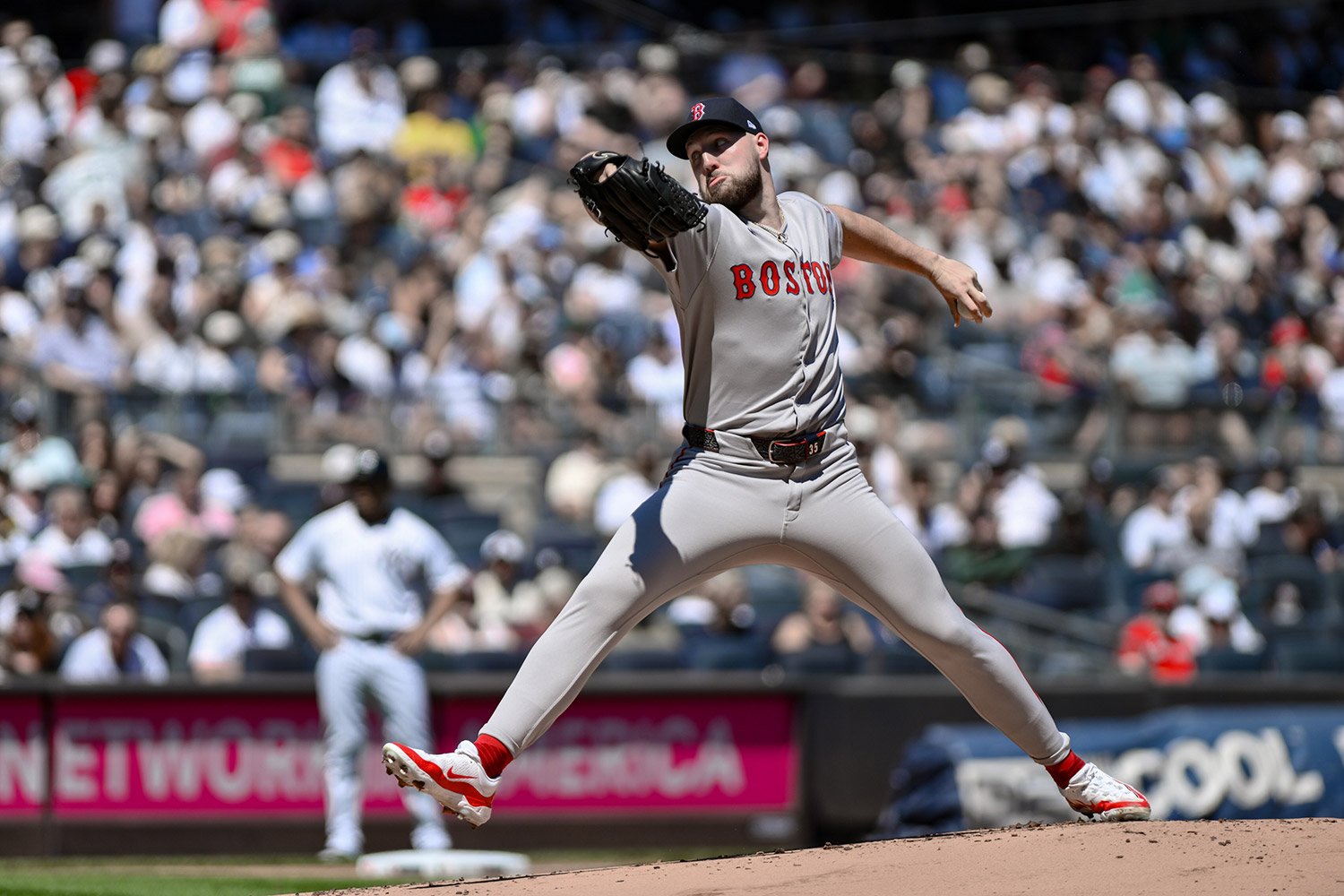 Tuesday, September 30 at 6:08pm Eastern time, the Red Sox visit Yankee Stadium for game one with left-handers Garrett Crochet and Max Fried taking the mound. Crochet’s strikeout rate sits at 31.3 percent with a 5.7 percent walk rate, with a FIP of 2.95. He also faced New York on September 14 and worked six innings with three earned runs and 12 strikeouts. Fried enters the day with a FIP of 3.07, and he most recently saw Boston on September 13, when he covered six innings and allowed three earned runs with one home run. Yankees Hitters vs Crochet: Aaron Judge’s overall baseline remains elite, and he just finished the regular season with a .331 average to clinch the AL batting title. His OPS is sitting above 1.10 through the middle of September, a snapshot of his form as the month wound down. Judge against left-handed pitching is also a specific pressure point for any southpaw; he posted an incredible 1.279 OPS against lefties this season. Garrett Crochet vs. New York Yankees: Current Batters Table Rk Player B PA AB H 2B 3B HR RBI BB SO BA OBP SLG OPS SH SF IBB HBP GIDP 1 Paul Goldschmidt R 16 15 2 0 0 0 0 1 5 .133 .188 .133 .321 0 0 0 0 0 2 Aaron Judge R 15 15 3 0 0 2 2 0 11 .200 .200 .600 .800 0 0 0 0 0 3 Cody Bellinger L 14 14 5 0 0 1 2 0 2 .357 .357 .571 .929 0 0 0 0 1 4 Amed Rosario R 10 9 6 1 0 1 3 1 1 .667 .700 1.111 1.811 0 0 0 0 0 5 Ben Rice L 9 8 1 1 0 0 0 0 0 .125 .125 .250 .375 0 0 0 0 0 6 Austin Wells L 9 9 2 1 0 1 4 0 4 .222 .222 .667 .889 0 0 0 0 0 7 José Caballero R 8 7 0 0 0 0 0 1 5 .000 .125 .000 .125 0 0 0 0 0 8 Giancarlo Stanton R 7 7 2 0 0 1 1 0 5 .286 .286 .714 1.000 0 0 0 0 0 9 Jasson Domínguez B 6 6 0 0 0 0 0 0 2 .000 .000 .000 .000 0 0 0 0 1 10 Anthony Volpe R 6 5 2 0 0 0 0 0 2 .400 .400 .400 .800 1 0 0 0 0 11 Jazz Chisholm Jr. L 5 4 0 0 0 0 0 1 3 .000 .200 .000 .200 0 0 0 0 0 12 Trent Grisham L 3 3 0 0 0 0 0 0 1 .000 .000 .000 .000 0 0 0 0 0 13 Ryan McMahon L 3 3 1 0 0 0 0 0 1 .333 .333 .333 .667 0 0 0 0 1 14 Austin Slater R 3 3 0 0 0 0 0 0 3 .000 .000 .000 .000 0 0 0 0 0 Provided by Stathead.com: Found with Stathead. See Full Results. Generated 9/30/2025. Red Sox Hitters vs Fried: Trevor Story was Boston’s leading September bat by several measures, posting a .302/.337/.458 September line. Masataka Yoshida posted a 126 wRC+ in September as well. Max Fried vs. Boston Red Sox: Current Batters Table Rk Player B PA AB H 2B 3B HR RBI BB SO BA OBP SLG OPS SH SF IBB HBP GIDP 1 Trevor Story R 17 16 4 1 0 2 5 1 5 .250 .294 .688 .982 0 0 0 0 0 2 Alex Bregman R 12 9 5 0 0 1 2 3 1 .556 .667 .889 1.556 0 0 0 0 0 3 Connor Wong R 11 10 3 1 0 0 1 1 3 .300 .364 .400 .764 0 0 0 0 1 4 Jarren Duran L 10 10 0 0 0 0 0 0 5 .000 .000 .000 .000 0 0 0 0 0 5 Ceddanne Rafaela R 10 10 2 0 0 0 0 0 3 .200 .200 .200 .400 0 0 0 0 0 6 Romy González R 9 7 2 0 1 0 0 2 3 .286 .444 .571 1.016 0 0 0 0 1 7 Rob Refsnyder R 9 8 2 0 0 0 0 1 3 .250 .333 .250 .583 0 0 0 0 0 8 Nate Eaton R 5 3 2 0 0 0 0 2 0 .667 .800 .667 1.467 0 0 0 0 0 9 Steven Matz R 3 3 0 0 0 0 0 0 0 .000 .000 .000 .000 0 0 0 0 0 10 Carlos Narváez R 3 3 0 0 0 0 0 0 1 .000 .000 .000 .000 0 0 0 0 0 11 Nick Sogard B 3 3 2 0 0 0 0 0 0 .667 .667 .667 1.333 0 0 0 0 0 Provided by Stathead.com: Found with Stathead. See Full Results. Generated 9/30/2025. Defensive Alignments: Defense could swing a few batted balls. Boston has Ceddanne Rafaela in center, and Statcast credits him with +22 OAA in 2025, topping the outfield leaderboard. The Yankees’ middle infield features Jazz Chisholm Jr., who sits at a +5 OAA and in the 89th percentile. With two left-handed starters on the mound, run prevention on grounders and liners becomes more salient, and both clubs can deploy plus defenders up the middle. Overall, Boston has a significant edge in defense, posting a +11 OAA against the -7 of the Yankees.
 -
Oh yeah, I haven't gotten to that one yet, but want to watch it.
-
In quality-to-quantity ratio, Apple TV is the best streaming service going. Some of their stuff is just incredible. If you haven't watched Black Bird, do so. It's phenomenal. And then there is Ted Lasso, Silo, Severance, Slow Horses, Shrinking, and quite a bit more. I have yet to see a bad show on the service, and most are well above average.
-
Do you need your old account back? Just private message me, we'll get it sorted.
-
Welcome!
-
The Sox have a 96% chance to make the playoffs. When they get there, what's your biggest concern that could hold the team back from advancing?
-
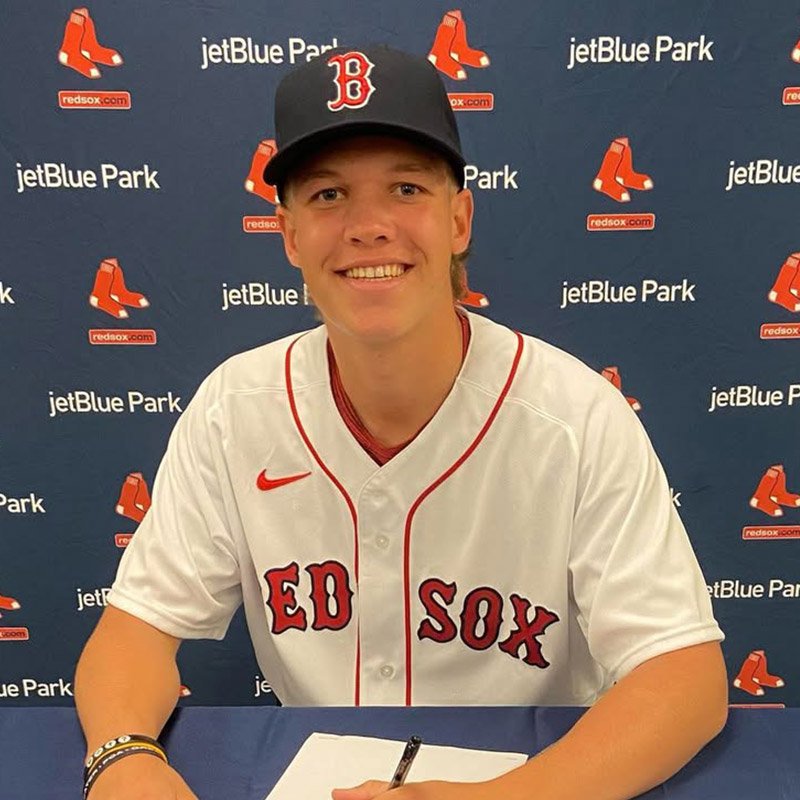 The 2025 season saw the Boston Red Sox's pitching development finally pay off in a big way, as their young pitchers helped get the team through the final month of the season and back into the postseason for the first time since 2021. One of those pitchers was Connelly Early, a 2023 fifth-round draft pick. Early, who made his MLB debut in September, pitched admirably down the stretch as he made four starts and struck out 29 batters in 19 1/3 innings. He walked just four and allowed five earned runs; his performance led manager Alex Cora to hand him the ball as the starting pitcher in the win-or-go-home game three of the Wild Card series. Prior to that, Early split 2025 between Portland and Worcester, going 10-3 with a 2.60 ERA in 21 games, 18 of them starts. He threw 100 1/3 innings in that span and struck out 132 batters. Early, who throws from the first-base side of the rubber, has some effort in his delivery but manages to repeat it with a consistent release point. Like most pitchers that the Red Sox have targeted in the past few years, he also has plus extension during his release. Early relies on a five-pitch arsenal that is made up of a fastball, changeup, slider, curveball and sweeper. His fastball, while averaging just 92-95 mph, topped out at 97 mph and there was an increase in velocity from 2024 that saw the pitch sitting in the low-90s. It has shown more bat-missing ability as he runs up the radar gun, but it's always been designed to help set up his changeup. That off-speed offering is an above-average pitch thanks to having arm-side run and his low release height. Typically in the mid-80s, he uses a kick-changeup grip and has advanced feel in the pitch, as he throws it often to both left-handed and right-handed batters. When at its best, the pitch will tumble out of the zone, generating whiffs. His slider averaged 84-87 mph in 2025 and he’s able to land it in the zone. Despite that, it doesn’t miss many bats and is instead used to generate weak contact from opposing batters. His curveball tends to sit in the low-80s at best and has more vertical break. It isn’t consistent, however, sometimes flashing plus movement and other times wobbling toward the plate. Both breakers have above-average qualities but aren't considered in that realm just yet. His sweeper is his newest pitch, having started working on it in 2024, and it improved as the season went on. It averaged around 80-83 mph and is mainly used against left-handed batters. Much like the curveball, it can show bat-missing ability, but he needs to gain more consistency with it in terms of landing it in and around the strike zone. Entering the 2026 season, Early is seen as a mid-rotation starter who flashes the upside of a number two or three starter. If he can gain consistency on his three weaker pitchers, that ceiling could rise. The biggest question mark for Early so far is if he can keep the velocity up as he goes deeper into games and across an entire season. The fact he can throw three to four pitches for strikes consistently helps his case in the immediate term. While many would love to see Early in Boston to open the year, due to their depth the team acquired over the offseason, he is likely headed to Worcester. If the Red Sox keep Early in Worcester for five weeks to open the season, they’ll gain an extra year of control on Early. This would keep him from becoming a free agent until after his age-30 season, something that could change rotation plans down the road. Regardless of where Early starts the season, he’ll be up in Boston as one of the first pitching-related promotions and will end up playing a huge role in how the 2026 season goes down.
 -
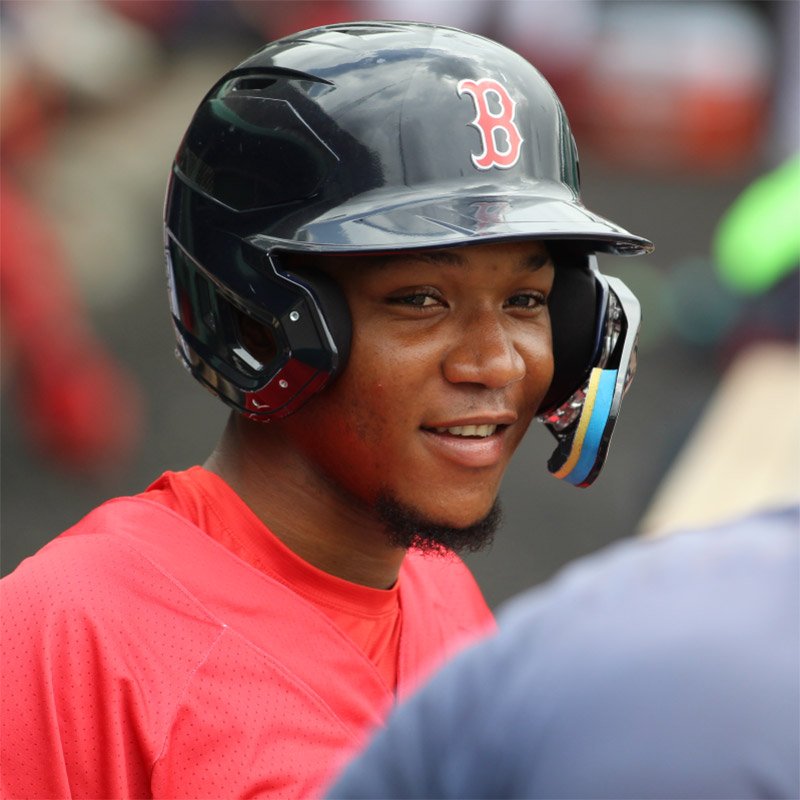 Bleis has been a mainstay on top prospect rankings for the Red Sox since he was acquired as an IFA in 2021, but his time to make good on that distinction is quickly ticking away. He has the potential of a standout outfielder but, so far, has failed to put it all together to make much of an impression. He’s dealt with injuries in every season of his pro career and is flirting with carrying the dreaded ‘chronically injured’ designation that every player hopes to avoid. Putting together a healthy and productive 2026 would go a long way toward establishing him as a player to watch moving forward, but his hit tool is so streaky that it’s incredibly hard to project how impactful he’s going to be moving forward. He’s eligible to be taken in the Rule 5 draft this coming December, so if there’s any indication he’s progressing, the team is either going to have to trade him away or protect him on the 40-man roster if they don’t want to risk him being selected with no compensation in return.
 -
They're half a game out of the top wild card, which would net them a home round in the postseason. Will they do it?
-
Red Sox (N/A) vs Day Off: 9/4/25
Brock Beauchamp replied to Brandon Glick's topic in Mike Grace Memorial Game Thread Forum
I like their chances of winning today, for sure -
 Talk Sox can be overwhelming to the uninitiated. Where many sites have blogs, or forums, and sometimes both, Talk Sox’s scope extends far beyond that and offers many fan-specific features you won’t find elsewhere. This guide will walk you through the site and its sections. Talk Sox News: This is the front page of the site, and the place you will find news and analysis from our stable of dedicated Red Sox writers. You can read and then comment on any article in this section. Notes & Rumors: This section features shorter pieces, including low-impact news such as a minor-league promotion or a brief stint on the injured list, as well as all free agent and trade rumors. This section is hopping in July and December. Talk Sox Forums: These operate much like traditional internet forums (for those of us born in the 1900s). It’s all user-generated content where people are free to talk baseball all day, every day. Unlike many places on the internet, basic human decency is expected and will be enforced. This is a place to talk baseball without the drama and nastiness found elsewhere. User Blogs: These are user-created blogs that look and read much like our front page news, though any Talk Sox user can create their own blog and be read by thousands of like-minded fans! If you’ve ever wanted to try your hand at baseball writing, this is the place to do it. You will receive built-in readership from day one, allowing you to hone your craft. Talk Sox Videos: The counterpart to our front-page articles, this is where you will find our multimedia content, both news and analysis. Those are the five largest sections of the site. But we’re only getting started… Guides & Resources: Here, you will find a collection of useful resources, including stadium guides, an introduction to visiting spring training, a history of team ownership, a gift-giving guide, and more. Active Roster & 40-Man Roster: We maintain roster pages for both the 26-man (active) roster and the 40-man roster, updated nightly. Bullpen Usage Chart: Stay on top of bullpen usage with this handy chart that shows reliever usage over the past five days. The Activity Feed: This is a highly customizable page that many users bookmark as their primary launching point into Talk Sox’s content. You can select which content to show and which to ignore, and then save your feed preferences. Top Prospect Rankings: We have a dedicated page featuring the top 20 Red Sox prospects, which includes brief scouting reports, updated statistics, and recent articles and videos to keep you informed about your favorite prospects. Rank Your Favorite Prospects: Unlike most other publications, Talk Sox involves the community in ranking prospects. We hold open voting a half-dozen times a year, keep an eye open for the next round! 2025 Draft Tracker: Much like the prospect rankings page, we have a draft board that contains scouting reports, signing bonuses, and recent news and analysis for all of the Red Sox' draft picks. Mock Draft Board: Assembled and maintained by Jamie Cameron, this draft board is a valuable resource for tracking potential draft picks and gauging the industry's collective view of them. It is updated and maintained from April through draft day. Fan Polls: One of the newest interactive features of Talk Sox, we update polls regularly, and you’re allowed to vote once a day. Let us know what you think of the Red Sox organization, its players, and personnel today! Offseason/Trade Deadline Blueprint: Have you always dreamed of becoming an MLB general manager? If so, check out our blueprint page, which is active during July and throughout the winter. Build the Red Sox roster to your specifications, then share it with other Talk Sox users for discussion. Become A Talk Sox Caretaker: Want to support the site at a higher level? Become a Caretaker today! Not only can you receive ad-free browsing of the entire website, but you also get first (and often free) access to our events and access to exclusive content. That’s most of what Talk Sox has to offer! If you have any questions or suggestions, you’re welcome to message our community manager, @Brock Beauchamp. How To “Install” Talk Sox on iPhone or iPad Using Safari First, go to the home page of Talk Sox at https://talksox.com/. 1. Tap on the ellipses (…) at bottom right of screen. 2. Tap “Share” in pop-up menu. 3. Tap “View More”. 4. Tap “Add To Home Screen”. 5. Tap “Add”. That takes you to your home screen on iOS, where you can move the Talk Sox app around, just as you would any other app. Additionally, you can turn on notifications for them. Just go to the following link while logged into the site: https://talksox.com/notifications/options/. How To “Install” Talk Sox on an Android Device Using Chrome First, go to the home page of Talk Sox at https://talksox.com/. 1. Tap on the vertical ellipses (…) at top right of screen. 2. Tap “Share…” in pop-up menu. 3. Tap “Add to Home Screen”. 4. Tap “Install”. That takes you to your home screen on Android, where you can move the Talk Sox app around, just as you would any other app. Additionally, you can turn on notifications for the site. Just go to the following link while logged into the site: https://talksox.com/notifications/options/.
 -
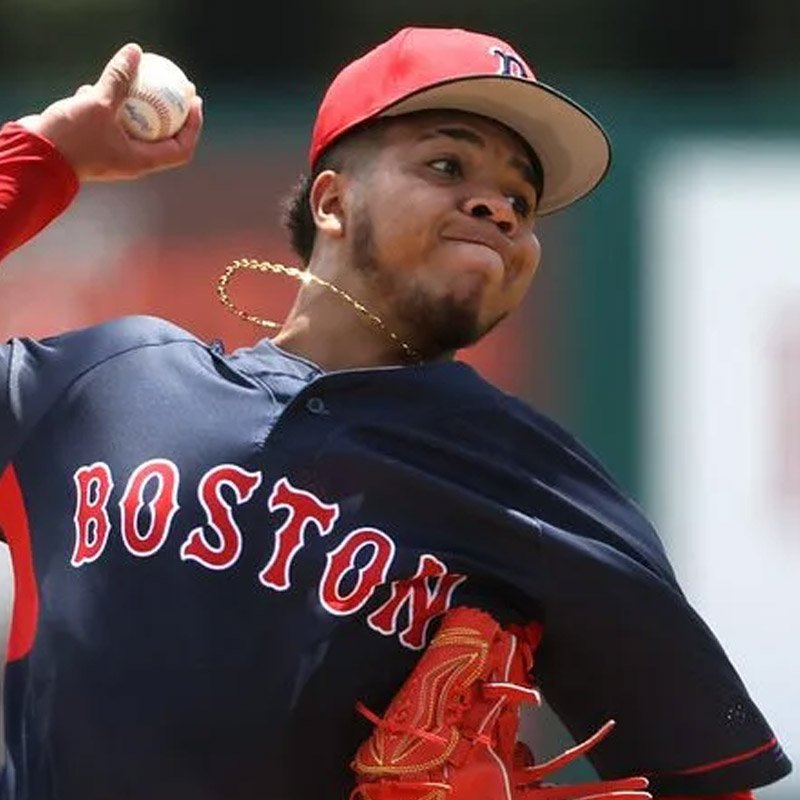 Coming soon!